15% OFF on All Products. Use Coupon code: FME15OFF2026





Product Attachments for Magento 1






Attach Files to Products & CMS Pages with Download Control
- Attach files to product & CMS pages
- Support multiple file types with icons
- Dedicated file download page
- Restrict downloads by customer groups
- Display download counter & set download limits
- Description
- Reviews
- FAQS
- Customization
- Change Log
Key Benefits of Magento Product Attachments Extension

Improve Customer Experience
Provide instant access to manuals, guides, and important product documents.

Reduce Support Requests
Minimize repetitive inquiries by making essential files easily downloadable.

Control & Secure File Access
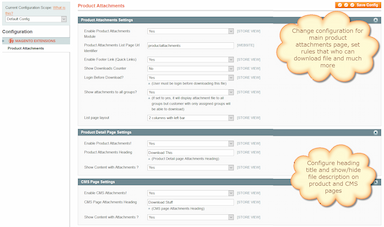
Restrict downloads by customer groups and set download limits.
Detailed Features of Magento Product Attachments Extension
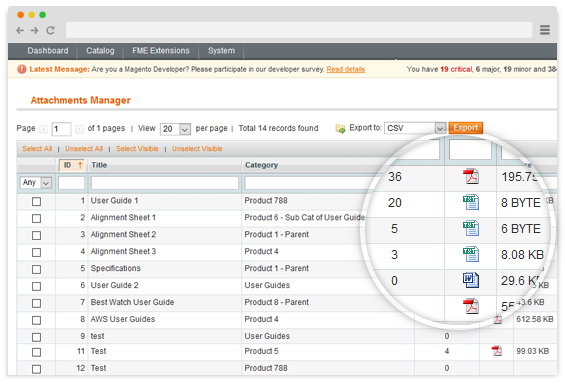
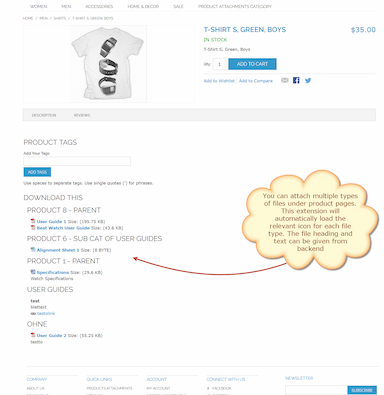
Support for Multiple File Types
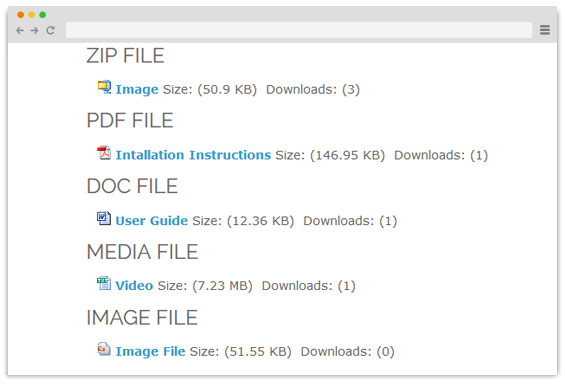
The extension supports a wide range of commonly used file formats, including: jpg, jpeg, gif, png, pdf, xls, xlsx, doc, docx, zip, ppt, pptx, flv, mp3, mp4, csv, html, bmp, txt, rtf, psd, dvi
This flexibility allows you to share:
- Product manuals (PDF)
- Technical specifications (DOC, XLS)
- Marketing brochures (PDF)
- Installation videos (MP4)
- Audio instructions (MP3)
- Compressed resources (ZIP)
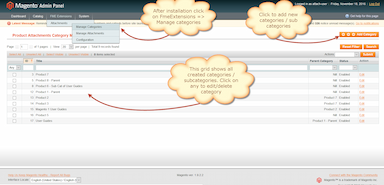
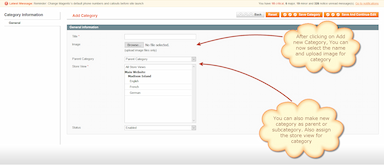
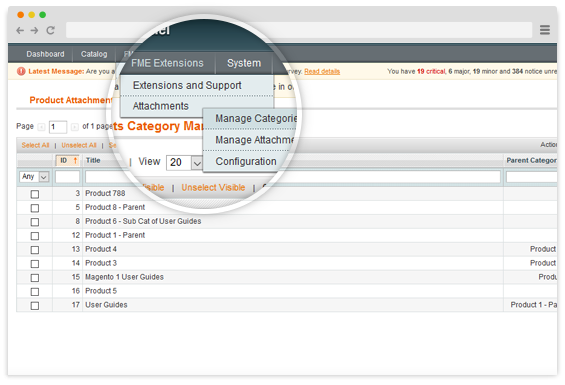
Create Categories to Organize Attachments
Keep your downloads structured and easy to navigate. Instead of displaying a long, unorganized list of files, you can create categories and subcategories to arrange attachments logically. This makes it easier for customers to find relevant documents.
- Create unlimited categories and subcategories
- Assign categories to specific store views
- Improve navigation and user experience
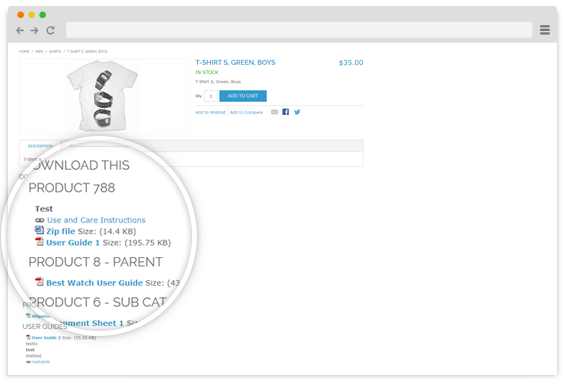
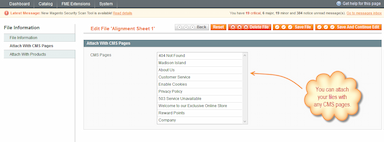
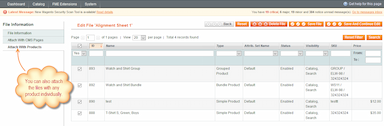
Attach Files to Product & CMS Pages
Easily attach files to:
- Product pages
- CMS page
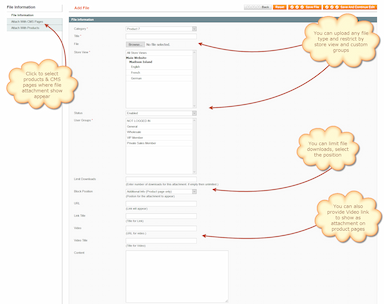
You can control the placement of attachments, such as:
- Below the short description
- Inside the additional information section
- Under custom headings
This flexibility ensures that attachments are displayed exactly where they provide maximum value.
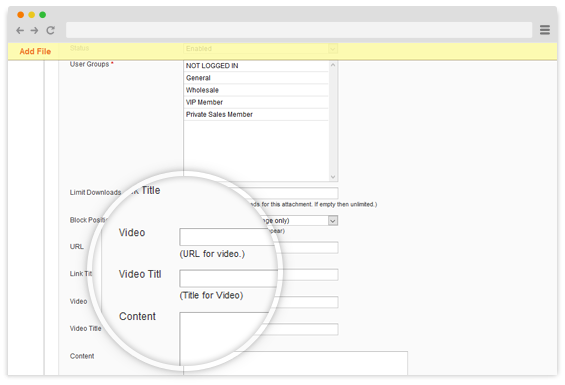
Add Videos as Attachments
Enhance your product pages with video content. The extension allows you to:
- Upload video files
- Add video URLs
- Embed custom video code
- Include subtitlests.
Videos help customers better understand product features, installation steps, and usage instructions, leading to improved engagement and conversions.
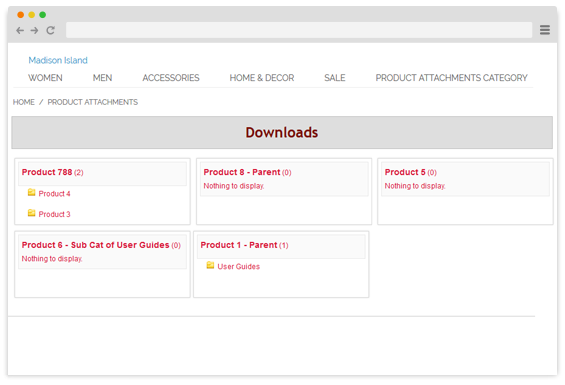
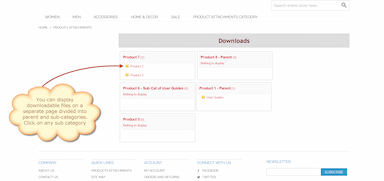
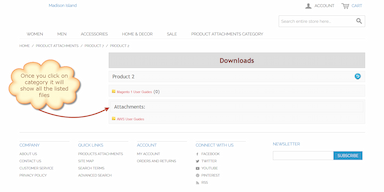
Dedicated Landing Page for All Attachments
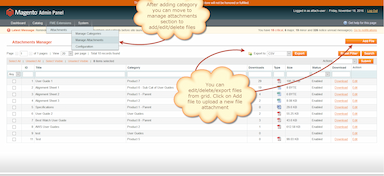
The extension includes a standalone page that displays all uploaded files in one centralized location. Key features:
- Organized display with categories and subcategories
- Unlimited category levels
- Customizable URL and meta information
- Compatible with Magento column layouts
This page works as a resource center for your customers.
Download Counter & Download Limit
Download Counter
Enable a download counter to show how many times a file has been downloaded. This:
- Highlights file popularity
- Builds trust
- Provides useful performance insights
Download Limit
Set a maximum number of downloads per file to control access to restricted or premium content.
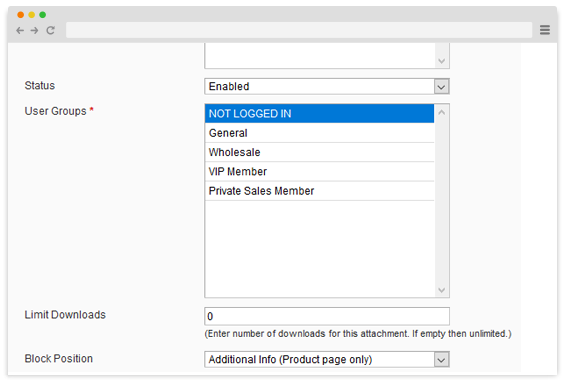
Customer Group Restrictions
Control who can view and download attachments. You can:
- Restrict downloads to logged-in users
- Allow access only to specific customer groups
- Provide exclusive documents to wholesalers or VIP customers
- Prevent guests from downloading sensitive files
This feature is especially useful for B2B and membership-based stores.
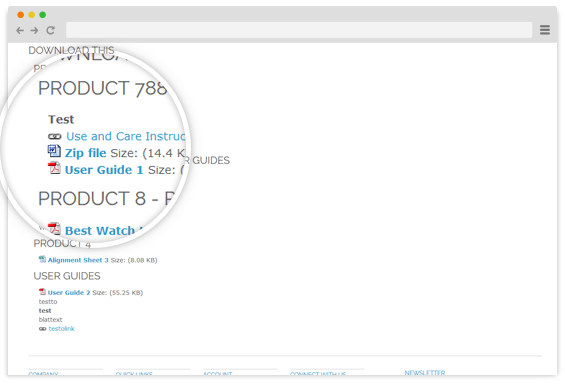
Display File Icons on the Frontend
Improve visual presentation with file-type icons. The extension displays appropriate icons based on file type, making attachments clear and easy to recognize. If a specific icon is missing, our support team can add it upon request.
Samual
5PDF uploads
We are now able to upload pdf directly on the product page without needing any FTP. Just what we needed.
Nina
5Much Needed for my store
We have a lot of supporting documents which our customers can benefit from once they have purchased our products. Now our customers have the option to unlimited file download by just logging into the site. Its cut our support emails to half. perfect solution
mag_freelancer
4quick solution
got a quick solution by using this extension. was able to make my client very very happy.
Antonio
5Everything works perfectly
Everything works perfectly (both pages cms that those products). Thank you very much for your help. We are very satisfied and we will not hesitate to buy other extensions from you in case of need. best regards
Chris
5Happy customer :-)
I can recommend this extension and I also can recommend FME! The company provides very good after sales service!