15% OFF on All Products. Use Coupon code: FME15OFF2026





Hide Price For Guest for Magento 2




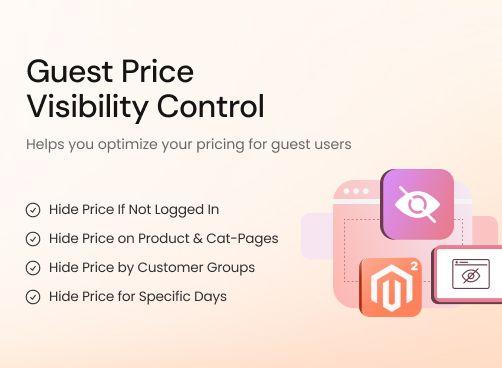


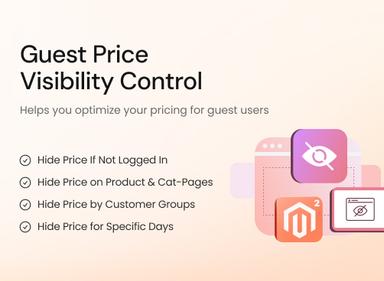
Control product visibility with the Magento 2 Hide Price for Guest extension, allowing you to display prices exclusively to logged-in or selected customer groups.
- Display prices to particular customer groups only
- Conceal prices of specific products or entire categories
- Enable price hiding for a specific period
- Hide price & “Add to Cart” on upsell and cross-sell
- Hide price & “Add to Cart” on search result pages
- Disable price & “Add to Cart” on Wishlist & Comparison
- Replace price with custom text and link
- Offer discounts to logged-in customers using Customer Group Pricing



Hide Price For Guest
$69.99
- Description
- Reviews
- FAQS
- Customization
- Change Log
The Magento 2 Hide Price for Guest extension lets you conceal prices for specific products, categories, or entire sections of your store. You can hide both the price and ‘Add to Cart’ buttons on product, search, upsell, cross-sell, wishlist, and comparison pages. It also supports scheduling price visibility for specific periods and replacing prices with custom text or links. This extension helps encourage customer sign-ups while maintaining pricing privacy and flexibility.

Challenge
Many Magento 2 store owners face challenges when guest users browse the website without signing up since this prevents them from gathering information for lead generation and customer profiling purposes. Additionally, showing the same prices to everyone may conflict with tailored pricing models.

Solution
The Magento 2 Hide Price for Guest Extension offers a seamless way to restrict price visibility for guests, customer groups, or even specific products and categories. By hiding the ‘Add to Cart’ button, merchants can compel users to complete the sign-up process, enabling them to offer a more personalised shopping experience.
Hide Price for Guest for Magento 2
$199
Key Benefits of Magento 2 Hide Price for Guest Extension

Encourage User Registration
Show prices only to logged-in customers.

Capture Qualified Leads
Turn anonymous visitors into registered users.

Support B2B Sales Model
Restrict pricing access to approved customers.

Detailed Features of the Magento 2 Hide Price for Guest Extension
Hide Price If Not Logged In
Hide Price on Product & Category Pages
Hide Price by Customer Groups
Hide Price for Specific Days
Replace Price & Add to Cart With Text or Link

This feature allows store owners to hide product prices for visitors who are not logged into their accounts. Instead of showing the price, you can display a customised message such as ‘Please log in to view the price’, encouraging users to sign up or log in.
By implementing this, merchants can grow their registered customer base and build stronger relationships. It also helps in restricting sensitive pricing details to genuine customers only, giving the store greater control over who has access to price information.

You can configure the extension to hide prices on both individual product pages and entire category pages. This ensures a consistent shopping experience, as guests won’t be able to see prices across selected areas of the store.
This control is particularly useful if you want to reserve pricing visibility for certain products only, such as premium items, or apply it to categories that follow a customised sales strategy. It creates a seamless way of managing visibility without editing each product individually.

Merchants can decide which customer groups are allowed to view prices and which are not. For example, you may want wholesalers to see bulk pricing but hide the same from retail customers until they sign in or request a quote.
This targeted approach enables you to create different pricing strategies for different groups. It gives you flexibility in aligning your business model with the type of customers you serve, ensuring the right users see the right prices.

The extension also allows you to schedule price hiding rules for specific days or periods. This can be applied during promotional events, stock updates, or times when you want to restrict purchases temporarily.
By using time-based rules, you can plan ahead and automate when prices are shown or hidden. This minimises manual effort while providing more strategic control over how your products are presented at different times.

Instead of leaving the price field empty, you can replace it with a custom message or a link. For example, a text like ‘Contact us for a quote’ or a link redirecting customers to a registration page can be used.
This helps maintain a professional storefront while guiding customers toward the action you want them to take. It prevents confusion and encourages interaction, ensuring the customer journey continues even when prices are hidden.
Anne
5Perfect
A rock solid product with a very good price.
Roman Reins
5Recommended
Simple & easy to use extension to hide catalog prices from unauthorized users.
Kevin Greg
5Excellent so far!
I have easily removed price and "add to cart" button for not logged-in guests in my client website.
Beauty Store
4Nice Extension
The extension is working. Hides the price for guest unless logged in.
Pvt Holding
5Quick Support
I needed assistance to set up the extension. Support team helped at every stage to fix the issues.
Updated
Fixed
Added
Version 1.1.2 Last Updated: May 12, 2025
Added Hyvä theme compatibility. The extension is now fully compatible with the Hyvä theme. A separate Hyvä package has been included in the download for seamless integration.
Version 1.1.1 Last Updated: March 2, 2025
Added GraphQL API compatibility, enabling seamless integration with headless Magento environments.
Version 1.1.0 Last Updated: September 12, 2024
Compatibility updated for Magento 2.4.7, ensuring stable performance with the latest Magento release.
Version 1.0.8 Last Updated: June 5, 2023
Compatibility updated for Magento 2.4.6, improving overall performance and security.
Version 1.0.6 Last Updated: January 20, 2023
Compatibility updated for Magento 2.4.5.
Version 1.0.9 Last Updated: July 25, 2023
Fixed an issue where hidden prices were still visible in product comparison tables despite guest restrictions.
Version 1.0.7 Last Updated: March 15, 2023
Added a feature to display a customizable message for guest users instead of product prices to improve clarity.