Magento 2 Checkout Success Page Extension - User Guide
At the backend, go to FME EXTENSIONS > Configurations. Here you can find the extension configurations.
General Settings
- Module Enable: Choose ‘Yes’ or ‘No’ to Enable or Disable the Extension

How to Add or Edit Layout?
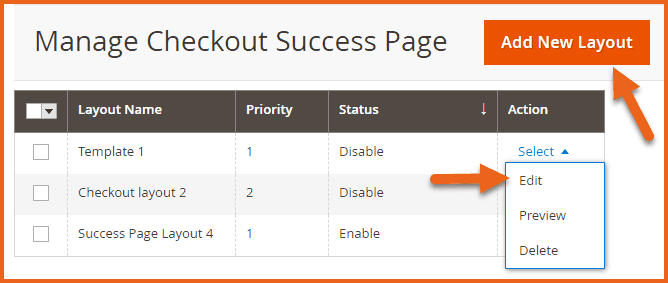
At the backend, go to FME EXTENSIONS > Manage Checkout Success Page. Here you will find all the layouts in a grid. You can Edit any layout or click on the Add New Layout button to proceed.
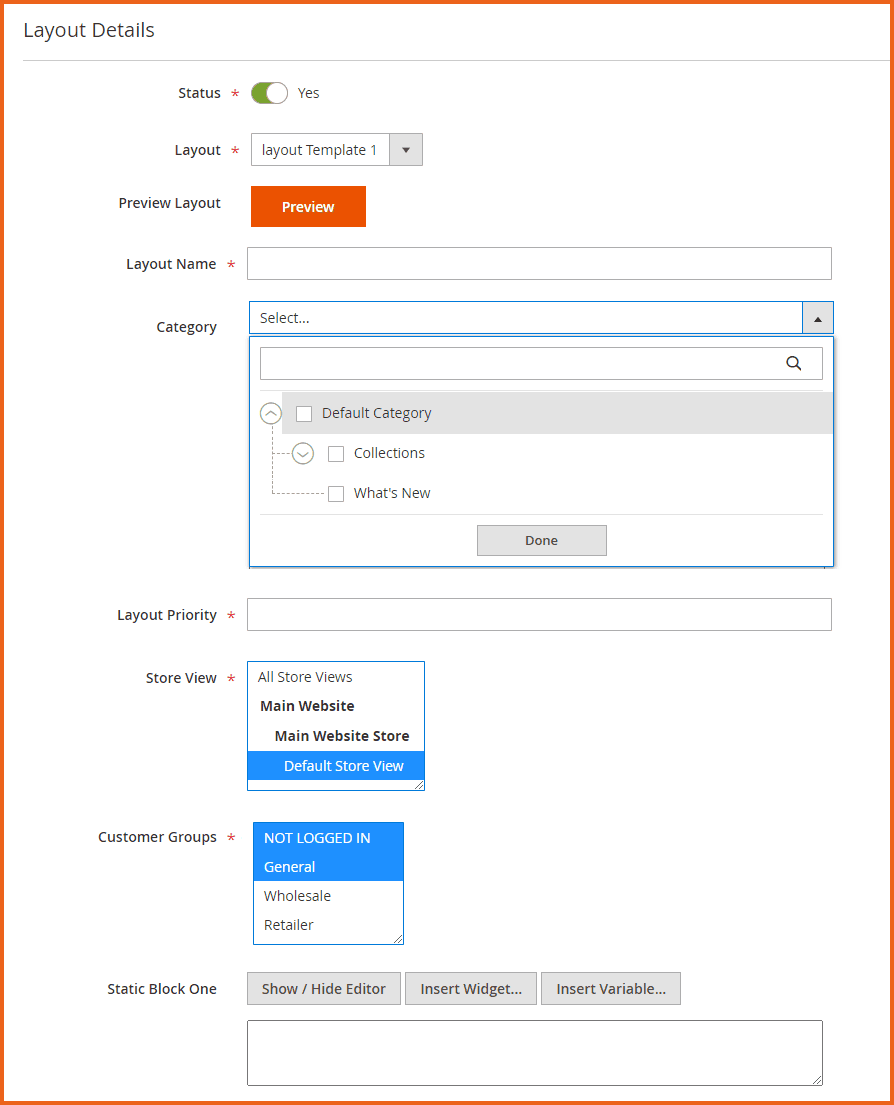
Here you will have to provide the following information:
Layout Details
This section allows you to select a layout for the Thank You page and configure the associated settings.
- Status: Option to enable or disable this specific layout.
- Layout: Choose from the available 3 layouts.
- Preview Layout: Option to preview the layout before applying
- Layout Name: Provide a name for the layout for internal purposes
- Category: Select the categories on which you want to apply the layout
- Layout Priority: Specify the priority of the layout
- Store View: Select the store views on which you want to apply the layout
- Customer Groups: Select the customer groups for which you want to apply the layout
- Static Block One: While creating a success page, there are multiple layouts to choose from. Each layout has specific static block(s) associated with it. In the static block fields, you can paste HTML code, add widgets, or include blocks, etc.
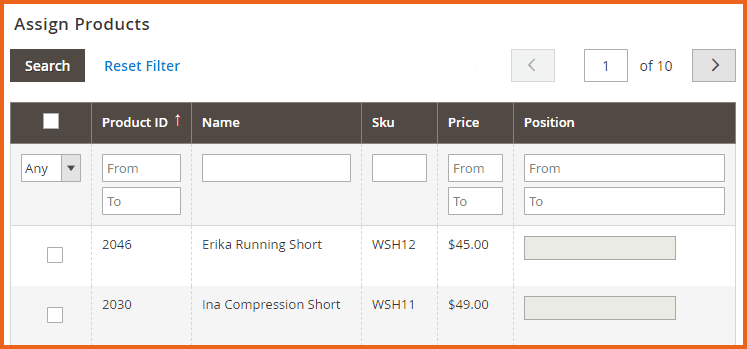
Assign Products
This section allows you to apply this layout to specific products.
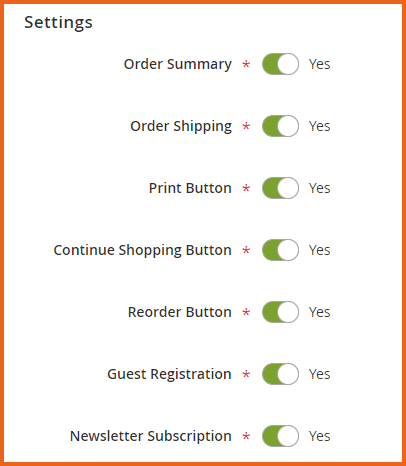
Settings
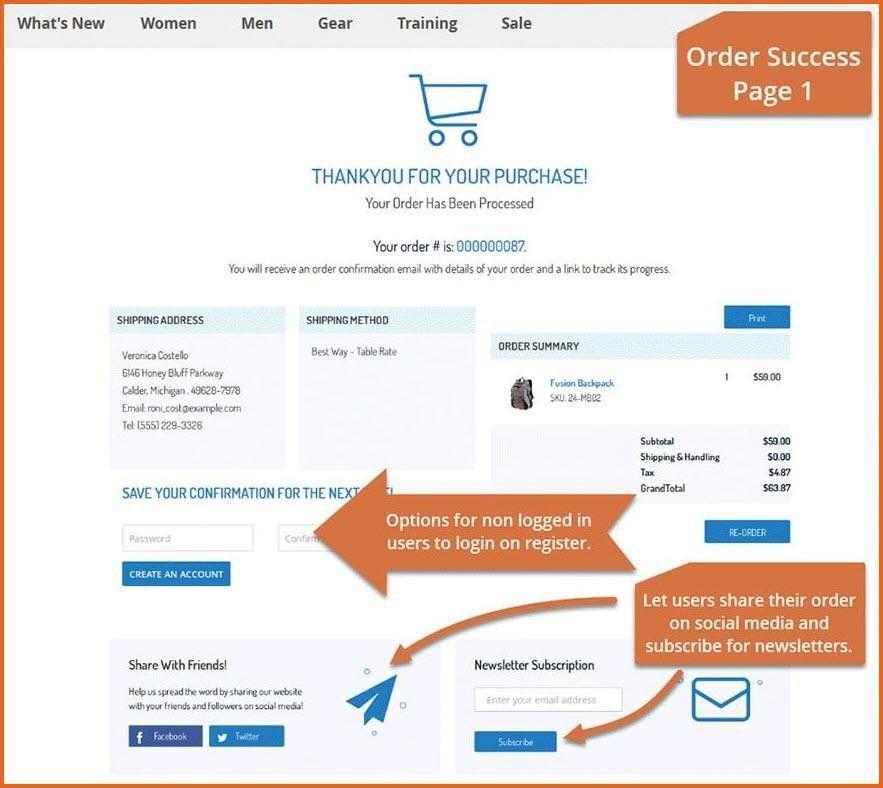
This section allows you to choose which blocks you want to display on the success page. Toggle the button to enable or disable each block.
- Order Summary
- Order Shipping
- Print Button
- Continue Shopping Button
- Reorder Button
- Guest Registration
- Newsletter Subscription
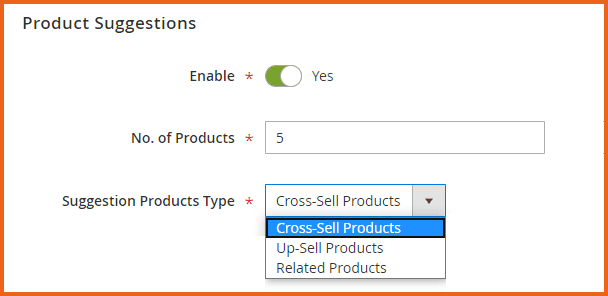
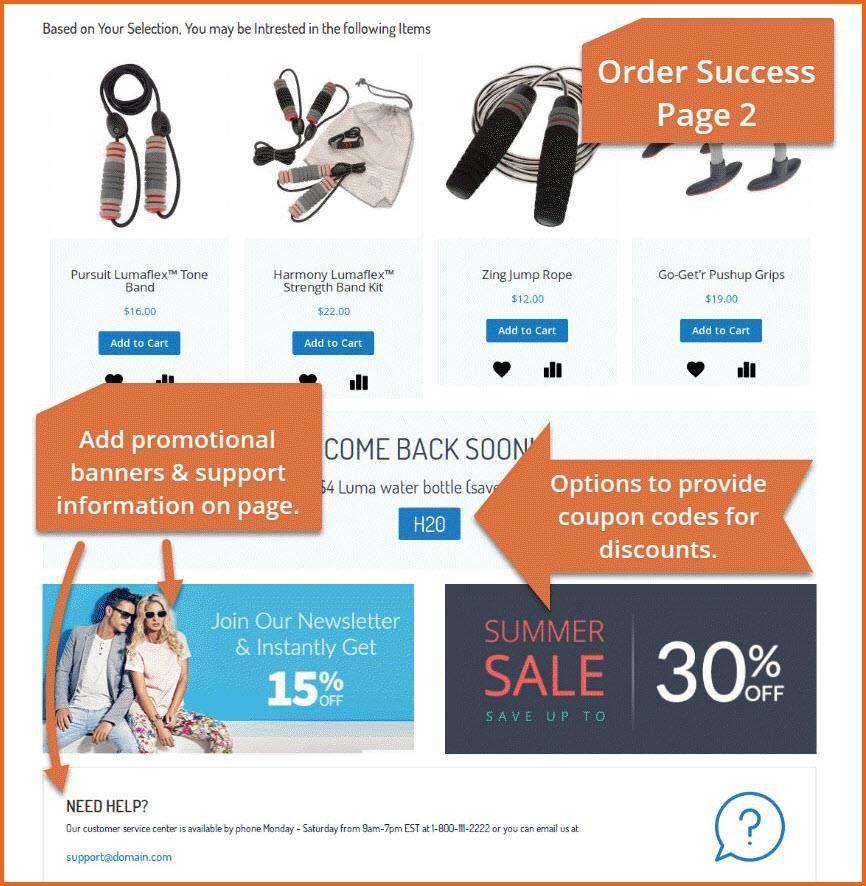
Product Suggestions
This section allows you to suggest relevant products with the one bought.
- Enable: Option to Enable or Disable the product suggestions
- No. of Products: Enter a number to limit the maximum no. of products to show in the suggestions
- Suggestion Products Type: Select the type of products that will show in product suggestions:
- Cross-Sell Products
- Up-Sell Products
- Related Products
Social Sharing
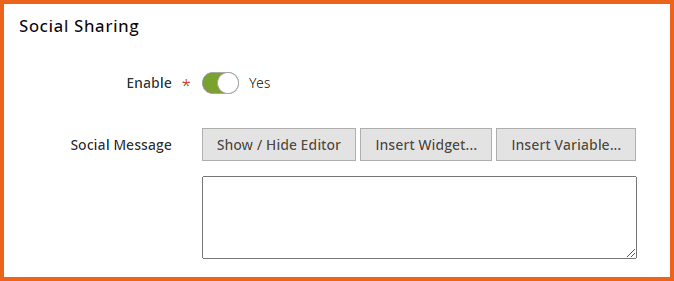
This section allows you to display social sharing buttons on the Thank You page.
- Enable: Option to Enable or Disable the social sharing buttons
- Social Message: Enter your social message here. You can provide links to your social media accounts of your business to make the customers like and follow you on various social media channels.
Coupon
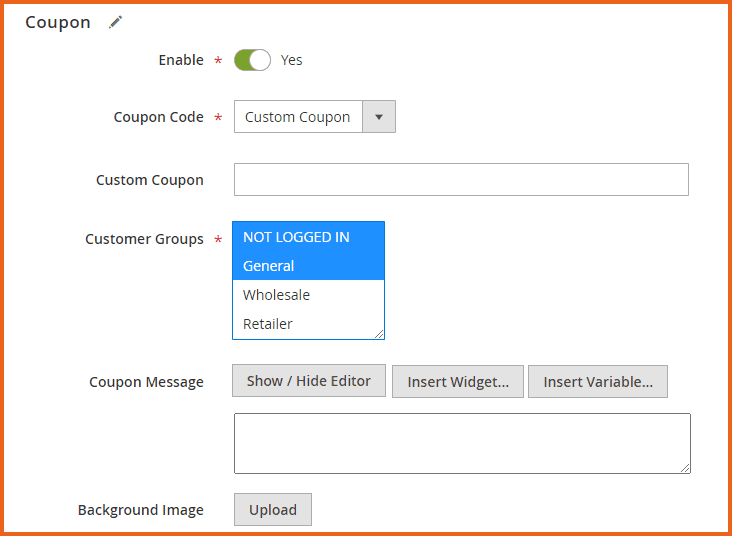
- Enable: Option to Enable or Disable the coupon
- Coupon Code: Choose from already created codes or create a custom coupon code.
- Custom Coupon
- H20
- Custom Coupon: Enter your static coupon code here. Please make sure to create this coupon on the first priority to use.
- Customer Groups: Select the customer groups for which this coupon is valid (Specify discounts for customer groups)
- Coupon Message: Enter a personalized coupon message or insert widgets/variables
- Background Image: Upload a background image
Thanks Message
This section allows you to display a custom Thank You message.
- Enable: Option to Enable or Disable the thanks message
- Thank You Message: Write a personalized thank you message
- Icon Image: Upload an image for the icon

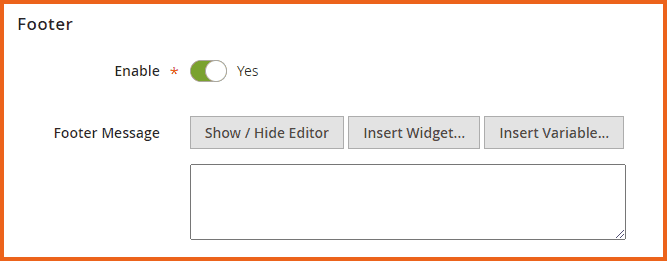
Footer
- Enable: Option to Enable or Disable the footer
- Footer Message: Enter the footer message
Frontend
GraphQL APIs
Queries
1. Get All Sucess Page Templates
query SuccessPageTemplates {
    successPageTemplates(filters: null) {
        categories
        continue_shopping
        coupon_code
        coupon_customers
        coupon_enable
        coupon_message
        created_at
        custom_coupon
        customer_groups
        footer_enable
        footer_message
        guest_registration
        image
        imageone
        layout_id
        order_shipping
        order_summary
        print_order
        products
        reorder_button
        social_enable
        social_message
        stores
        subscription_enable
        suggestion_count
        suggestion_enable
        suggestion_products_type
        template_id
        template_name
        template_priority
        template_static_block_one
        template_static_block_three
        template_static_block_two
        template_status
        thankyou_enable
        thankyou_message
        updated_at
    }
}
2. Get Templates by Layout ID
query SuccessPageTemplates {
    successPageTemplates(filters: { layout_id: 2 }) {
        categories
        continue_shopping
        coupon_code
        coupon_customers
        coupon_enable
        coupon_message
        created_at
        custom_coupon
        customer_groups
        footer_enable
        footer_message
        guest_registration
        image
        imageone
        layout_id
        order_shipping
        order_summary
        print_order
        products
        reorder_button
        social_enable
        social_message
        stores
        subscription_enable
        suggestion_count
        suggestion_enable
        suggestion_products_type
        template_id
        template_name
        template_priority
        template_static_block_one
        template_static_block_three
        template_static_block_two
        template_status
        thankyou_enable
        thankyou_message
        updated_at
    }
}
3. Get Templates by Stores
query SuccessPageTemplates {
    successPageTemplates(filters: { stores: [0, 1] }) {
        categories
        continue_shopping
        coupon_code
        coupon_customers
        coupon_enable
        coupon_message
        created_at
        custom_coupon
        customer_groups
        footer_enable
        footer_message
        guest_registration
        image
        imageone
        layout_id
        order_shipping
        order_summary
        print_order
        products
        reorder_button
        social_enable
        social_message
        stores
        subscription_enable
        suggestion_count
        suggestion_enable
        suggestion_products_type
        template_id
        template_name
        template_priority
        template_static_block_one
        template_static_block_three
        template_static_block_two
        template_status
        thankyou_enable
        thankyou_message
        updated_at
    }
}
4. Get Templates by Status (Enable/Disable)
query SuccessPageTemplates {
    successPageTemplates(filters: { template_status: "Enable" }) {
        categories
        continue_shopping
        coupon_code
        coupon_customers
        coupon_enable
        coupon_message
        created_at
        custom_coupon
        customer_groups
        footer_enable
        footer_message
        guest_registration
        image
        imageone
        layout_id
        order_shipping
        order_summary
        print_order
        products
        reorder_button
        social_enable
        social_message
        stores
        subscription_enable
        suggestion_count
        suggestion_enable
        suggestion_products_type
        template_id
        template_name
        template_priority
        template_static_block_one
        template_static_block_three
        template_static_block_two
        template_status
        thankyou_enable
        thankyou_message
        updated_at
    }
}
