Magento 2 Gift Card Extension - User Guide
General Configurations
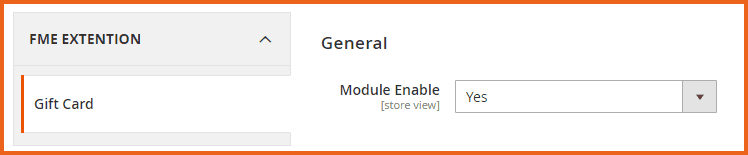
At the backend, go to FME EXTENSIONS > Configurations. Here you can find the extension configurations.
- Module Enable: Option to enable or disable the gift card module
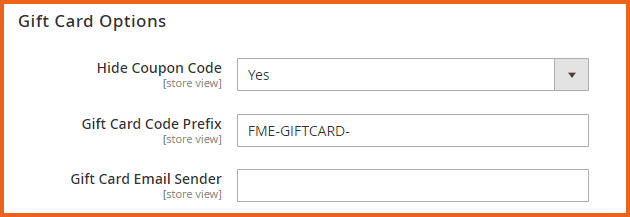
Gift Card Options
- Hide Coupon Code: Select ‘Yes’ or ‘No’ to View or Hide the coupon code in Order/Invoice
- Gift Card Code Prefix: Enter a prefix for the gift card coupon code which automatically generates whenever a customer purchases a gift card
- Gift Card Email Sender: Enter an email address through which gift cards will be sent to customers
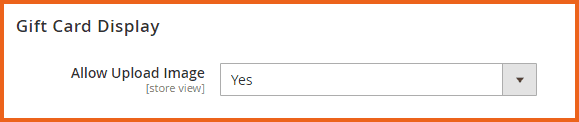
Gift Card Display
- Allow Upload Image: Select ‘Yes’ to let the user upload custom gift card image
How to Add Gift Card Products?
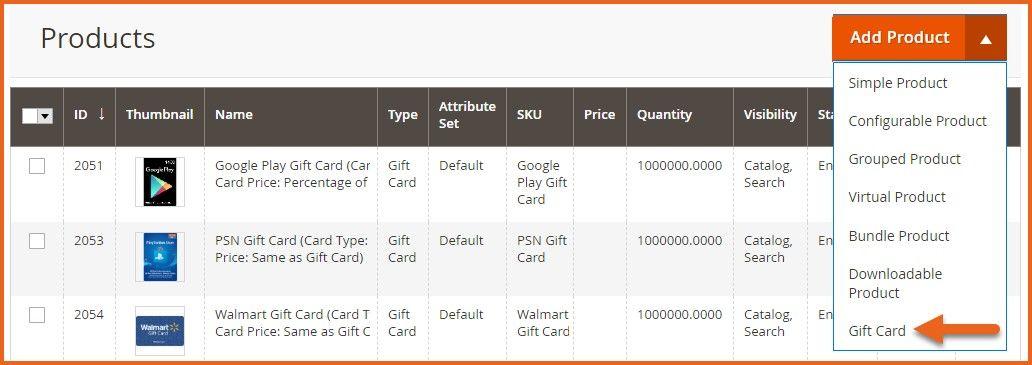
At the back end, go to CATALOG > Products. Here you will find all the products of your store. Click on the dropdown arrow beside Add Product & then click on the Gift Card button to continue.
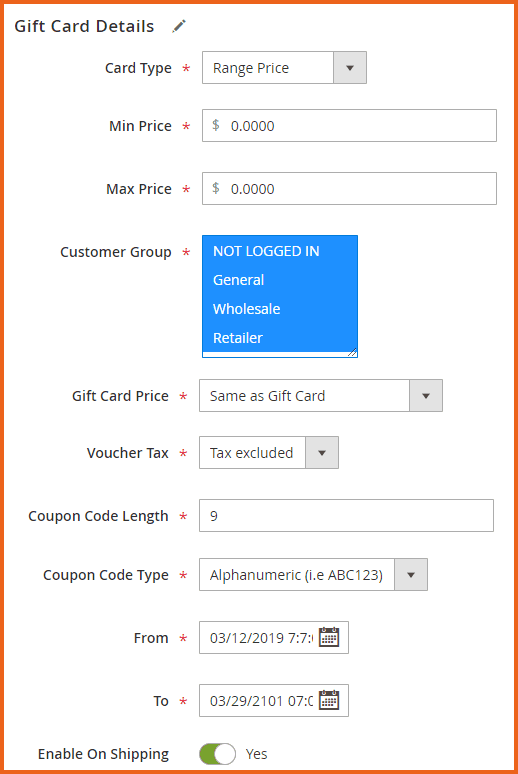
Now here you have to provide general information about the product. Then scroll down the page & click on the Gift Card Details section.
Gift Card Details
-
Card Type: Choose the type of gift card:
- Dropdown (Customers can select different prices from dropdown menu)
- Fixed Price (Set a fixed amount for a gift card)
- Range Price
For the purpose of the user guide, we have selected ‘Range Price’.
-
Min Price: Enter a minimum price for the gift card
-
Max Price: Enter a maximum price for the gift card
-
Customer Group: Select the customer groups for which you want to enable the gift card
-
Gift Card Price: Select the price of the gift card:
- Same As Gift Card (Gift Card Value is $10 & Customer pays $10)
- Fixed Price (Gift Card Value is $10 but the customer pays only $8)
- Percentage of Gift Card Value (Gift Card Value is $10 but the customer pays 70% that is $7) For the purpose of the user guide, we have selected ‘Same As Gift Card.
-
Voucher Tax: You can include/exclude a voucher tax into the price of gift cards. Choose from the following options:
- Tax Excluded
- Tax Included
-
Coupon Code Length: Enter a value for the coupon code length. The minimum length is 4 and the maximum length is 20.
-
Coupon Code Type: Choose the type of coupon code:
- Numeric i.e. 1,2,3,4,5
- Alpha-Numeric i.e. ABC123
-
From: Set a starting date from which the gift cards will be valid
-
To: Set an end date from which the gift cards will be invalid
-
Enable On Shipping: Option to Enable/Disable the gift card on the shipping
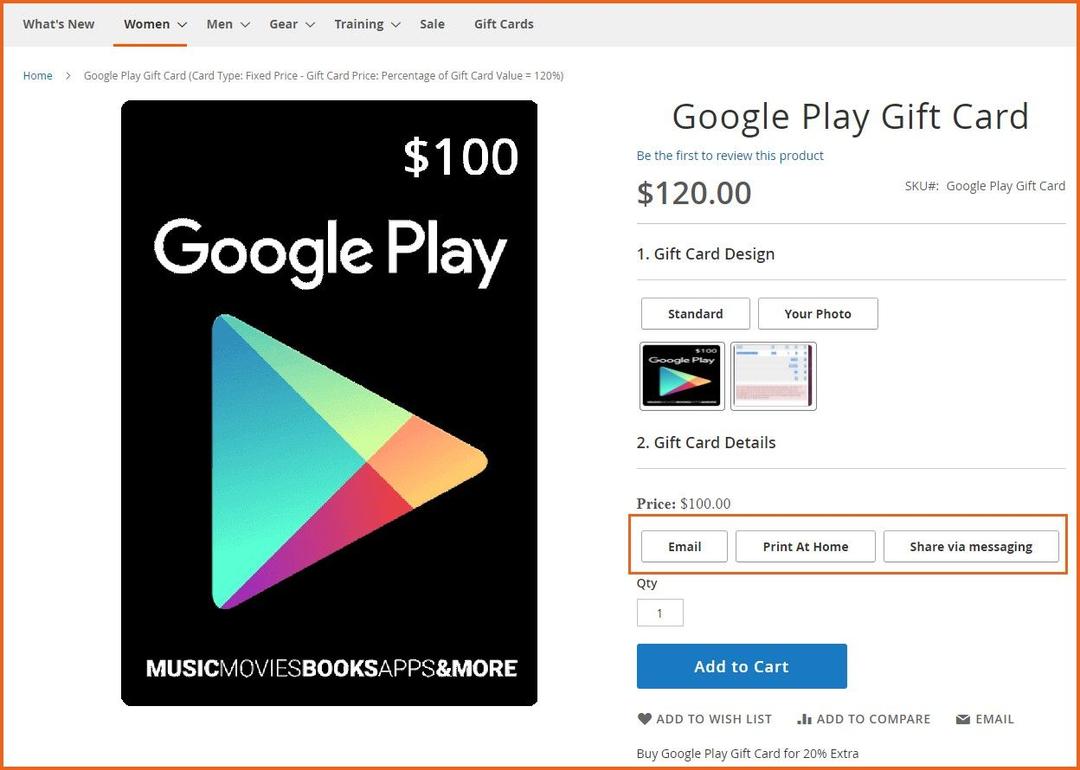
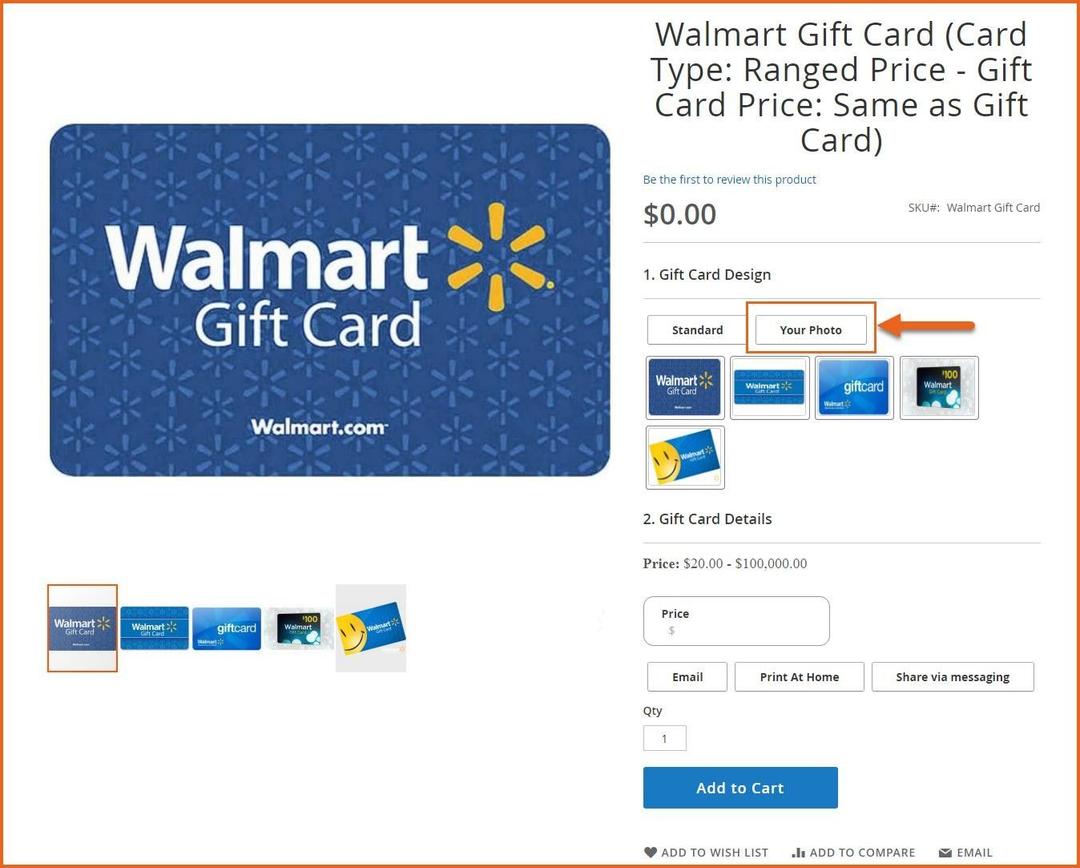
Once the above information is saved, your product will be displayed on the front end. The customers will have the option to upload a custom gift card image and to Email, Print at Home or Share via messaging based on their requirements. You can always go back to the admin panel and edit this information
Frontend
Gift Card
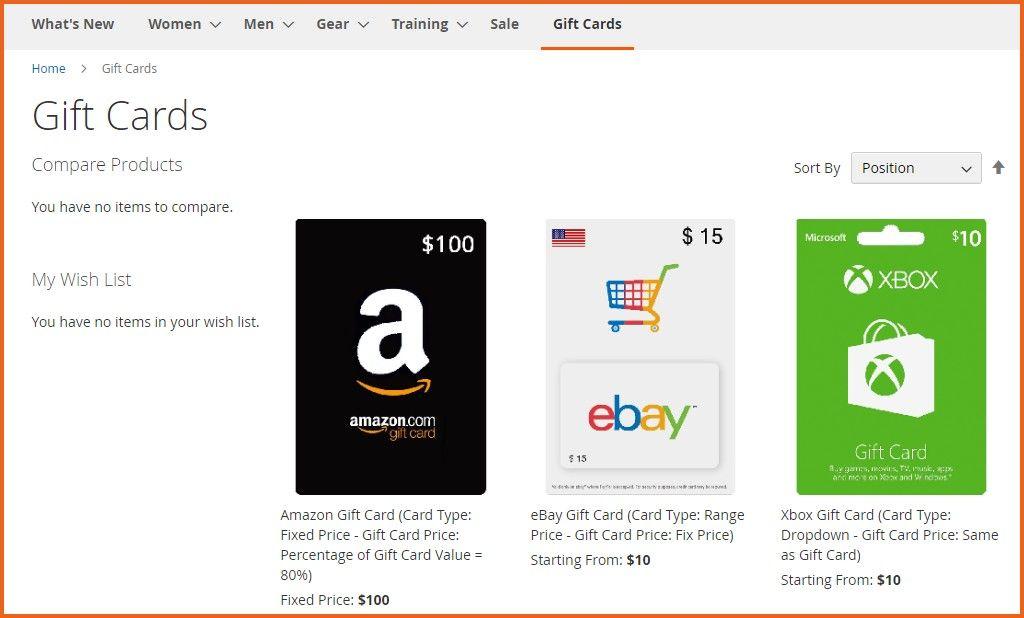
Dedicated Gift Card Page
Gift Card Product
GraphQL APIs
1. Get All Gift Card Products
query GiftCards {
    giftCards {
        card_fixed_price
        card_percentage_price
        card_price_type
        coupon_code_type
        coupon_length
        coupon_type
        customer_id
        ends_at
        entity_id
        fixed_price
        gift_id
        multi_price
        price_max
        price_min
        shipping
        start_at
        tax
    }
}
2. Get Gift Card Product by ID
query GiftCard {
    giftCard(product_id: 2045) {
        card_fixed_price
        card_percentage_price
        card_price_type
        coupon_code_type
        coupon_length
        coupon_type
        ends_at
        entity_id
        fixed_price
        gift_id
        multi_price
        price_max
        price_min
        shipping
        start_at
        tax
        customer_id
    }
}
