Magento 2 Buy Now Button Extension - User Guide
General Configurations
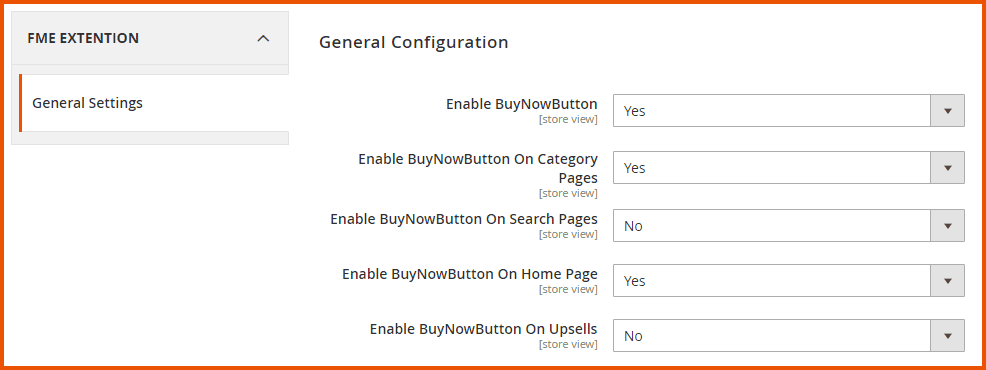
At the backend, go to FME EXTENSIONS > Configurations. Here you can find the extension configurations.
- Enable Buy Now Button: Option to enable or disable this module.
- Enable Buy Now Button on Category Pages: Option to enable or disable the Buy Now button on category pages.
- Enable Buy Now Button on Search Pages: Option to enable or disable the Buy Now button on search pages.
- Enable Buy Now Button on Homepage: Option to enable or disable the Buy Now button on the homepage.
- Enable Buy Now Button on Upsells: Option to enable or disable the Buy Now button on upsell products.
How to Add/Edit Buy Now Button?
At the back end, go to FME Extensions > Manage Buy Now Button. Here you will find all the buttons you have created in a grid. Click on Add Buy Now Button to continue.
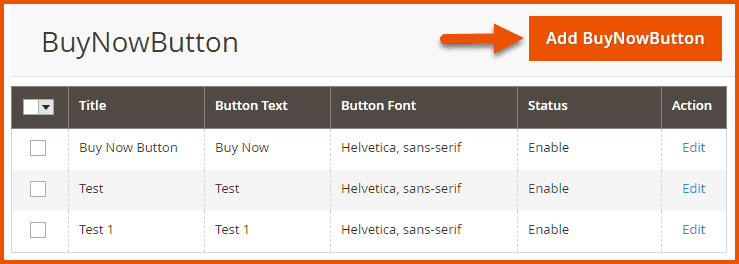
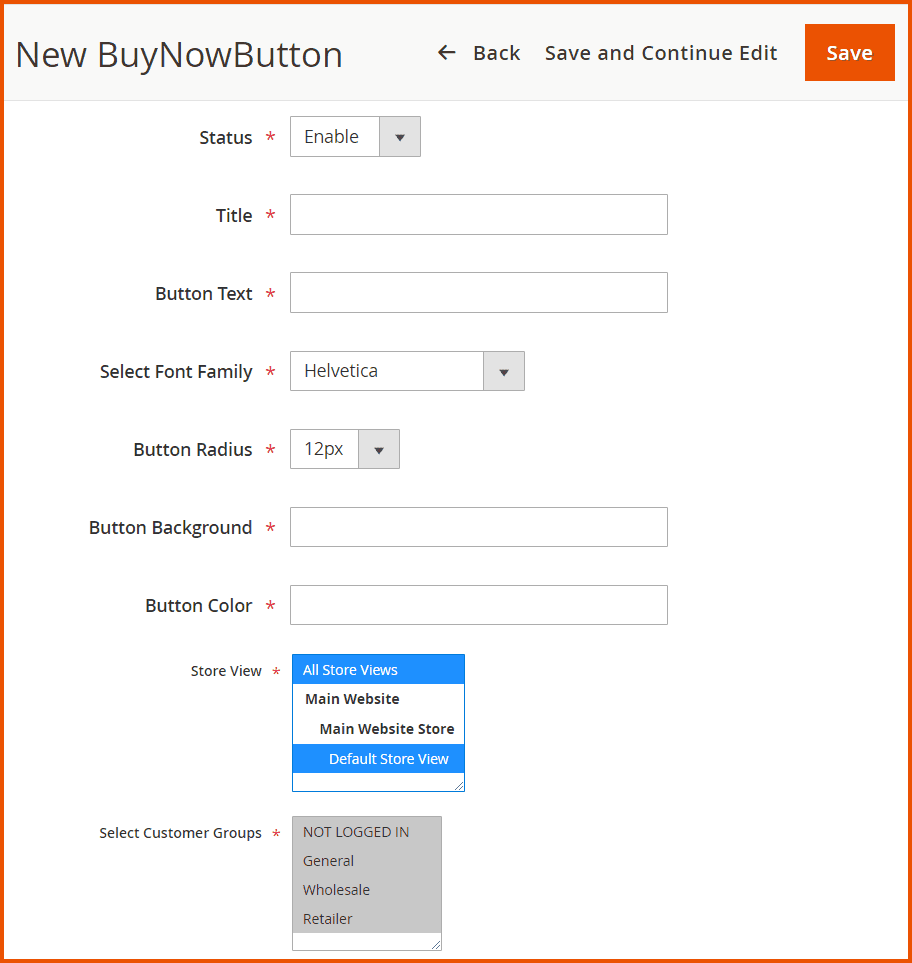
Here you will find the following information:
- Status: Enable/Disable the button
- Title: Provide title for the button
- Button Text: Specify text for the button
- Select Font Family: Specify the font style for the text
- Button Radius: Specify the radius of the button
- Button Background: Set the button background-color of button
- Button Color: Set the button color
- Store View: Specify which store views this button will appear on
- Select Customer Groups: Specify which customer groups this button will appear for
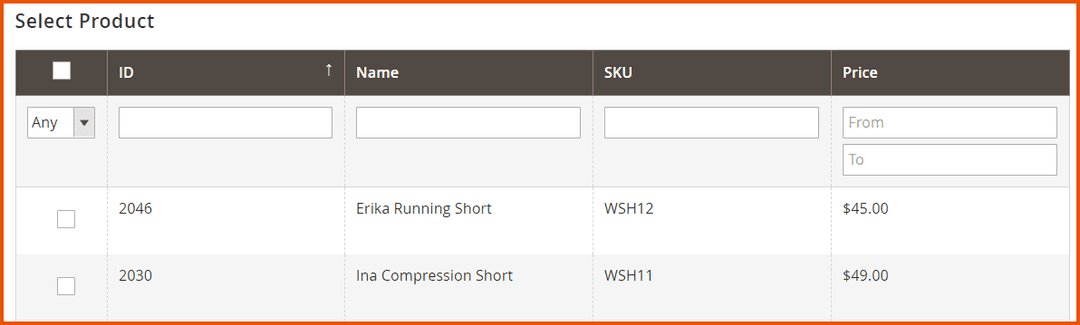
- Select Product: Attach products to the button
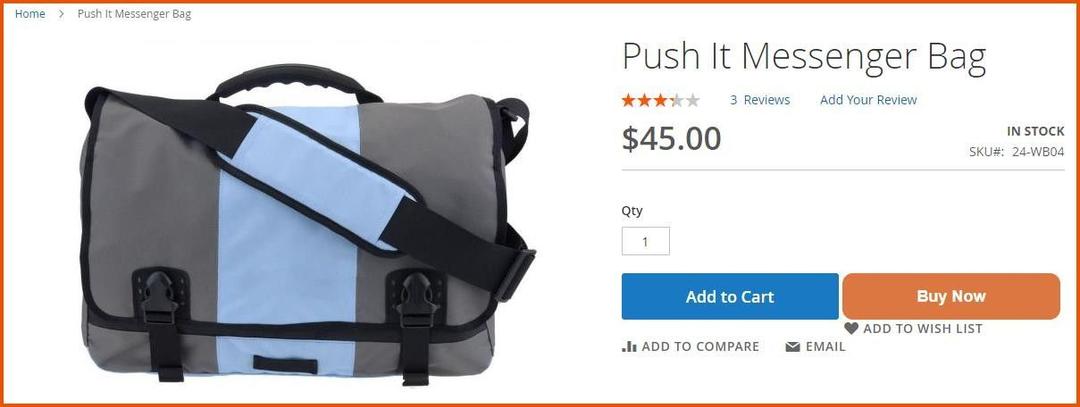
Buy Now Button on Frontend
GraphQL APIs
Get Buy Now Button Data by Product ID
query{
    buyNowButtonGraphql(
        product_id : 1
    ) {
        title
        status
        button_text
    }
}
- It is highly recommended to back up your server files and database before installing this module.
- No responsibility will be taken for any adverse effects occurring during installation.
- It is recommended you install on a test server initially to carry out your own testing.
