15% OFF on All Products. Use Coupon code: FME15OFF2026





Category Banners for Magento 1





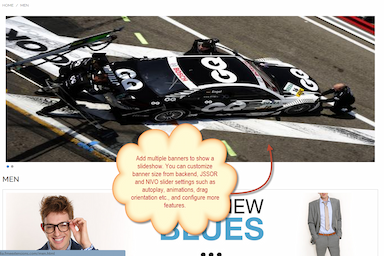
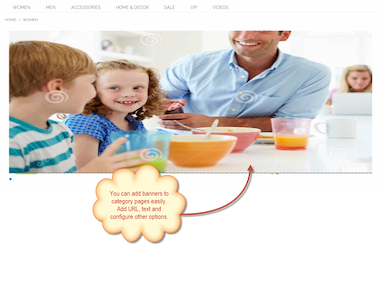
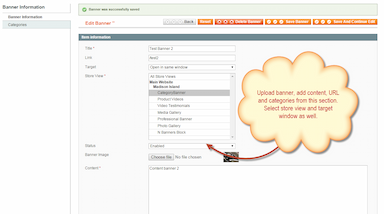
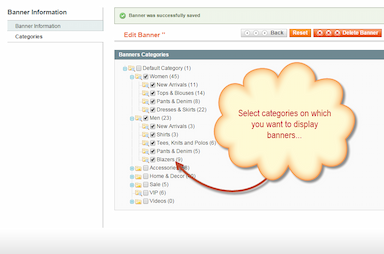
Add responsive category banners with advanced sliders to boost engagement.
- Add multiple banners to category product listing pages
- Display banners in responsive Nivo or JSSOR sliders
- Assign banners to specific categories
- Add custom links and banner text
- Configure slider effects and autoplay settings
- Restrict banners by store view
- Description
- Reviews
- FAQS
- Customization
- Change Log
Benefits of Magento Category Banners Slider

Boost Category Engagement
Display eye-catching banners that instantly grab attention on listing pages.

Promote Targeted Offers
Show category-specific deals to increase product visibility and sales.

Improve Conversion Rates
Redirect users directly to products with clickable promotional banners.
Detailed Features of Magento Category Banners Extension
Add Multiple Banners to Categories
Upload and display multiple banners on specific category pages. Showcase promotions, seasonal offers, new arrivals, or featured products directly above product listings to attract customers instantly.
Assign Banners to Specific Categories
Easily assign banners to individual categories to display relevant advertisements. This ensures customers see targeted offers related to the products they are browsing.
Responsive Banner Slider Display
Show banners in a fully responsive slider that adapts to different screen sizes. The slider maintains visual appeal and functionality across desktops, tablets, and mobile devices.
Multiple Slider Types – Nivo & JSSOR
Choose between two powerful slider options to match your store design and promotional needs.
JSSOR Slider Integration
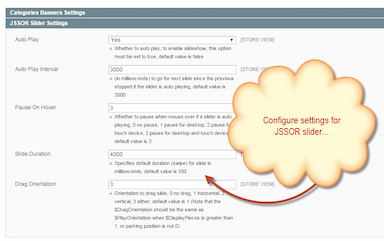
JSSOR slider offers a wide range of slideshow effects and transition styles. Configure autoplay, transition intervals, and presentation effects to create engaging banner displays.
Nivo Slider Integration
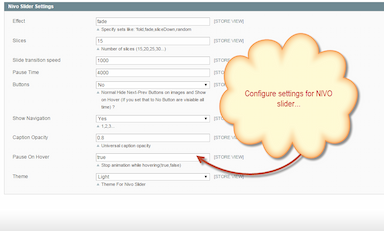
Nivo slider provides elegant and smooth transition effects for rotating banners. It enhances the visual presentation of category pages and improves overall aesthetics.
Add Links and Banner Text
Add custom text overlays to banners to communicate offers clearly. Attach clickable links to redirect users to specific product pages, category pages, or promotional landing pages.
Flexible Banner & Slider Configuration
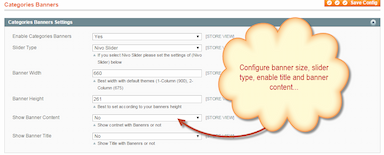
Control banner width, height, autoplay behavior, transition speed, and display settings. Customize slider behavior to create a perfect promotional experience.
Store View Restrictions
Restrict banners by store view to display different promotions for different store audiences in a multi-store environment.
Open Links in Same or New Window
Configure banner links to open in the same tab or a new window, depending on your marketing strategy.
Support for Multiple Image Formats
Upload banners in commonly used image formats for maximum flexibility and compatibility.
taco
5just what i wanted
Does what it says and more. A very simple yet doing it the right way .... Enough for a non-techie like me.
Goethe
5Nice Extension
Don't have too much space on the home page so got this working perfectly on the listing page. Highlighted the products for specific Categories and got the results
legalroids
5Interesting site
Hi buddy Interesting site. Waiting for more updates, can't wait !