15% OFF on All Products. Use Coupon code: FME15OFF2026





Product Labels for Magento 1




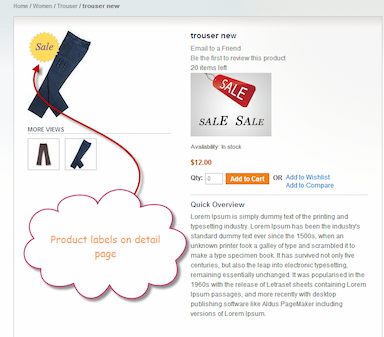
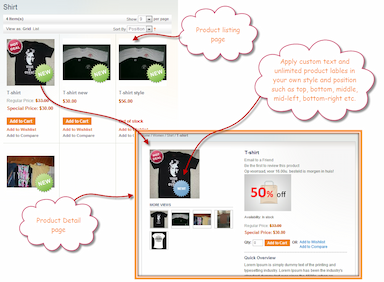

Create eye-catching Magento product labels to boost promotions and conversions.
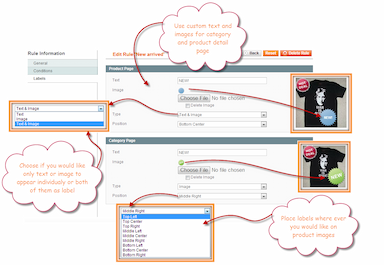
- Add text, image, or combined magento product stickers
- Custom positioning for product and category pages
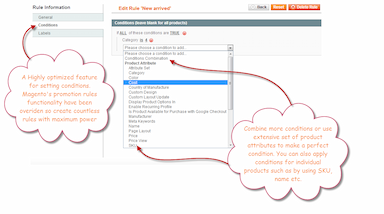
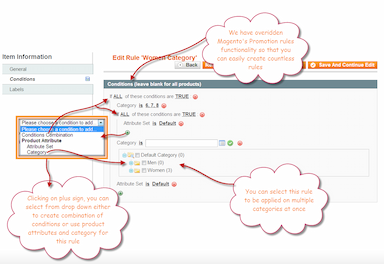
- Rule-based label assignment using flexible conditions
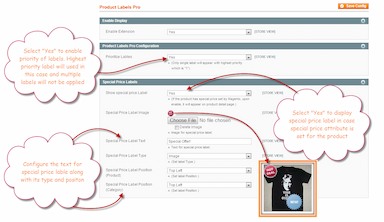
- Display labels for special price products automatically
- Schedule labels with start and end dates
- Manage multiple labels with priority control
- Description
- Reviews
- FAQS
- Customization
- Change Log
Key Benefits of Magento Product Stickers

Boost Product Visibility
Highlight discounts, new arrivals, and offers to instantly grab customer attention.

Increase Conversion Rates
Use persuasive badges and call-to-actions to encourage faster buying decisions.

Automate Promotions Easily
Schedule and manage labels automatically without manual updates.
Detailed Features of Magento Product Labels Extension
Add Text, Image, or Combined Labels
This magento product labels extension allows you to create labels using text, images, or a combination of both. You can upload custom sticker images and add promotional text like “Sale”, “New Arrival”, “Limited Offer”, or “Best Seller” to clearly communicate your marketing message.
Custom Positioning for Product & Category Pages
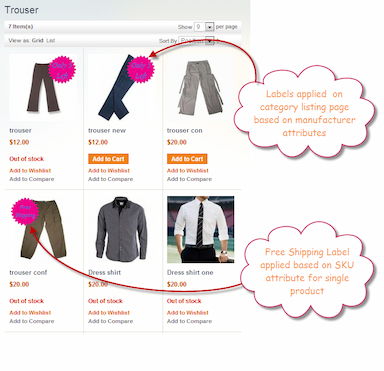
Set separate positions for labels on product pages and catalog pages. You can precisely control where Magento product labels appear, ensuring maximum visibility without affecting product images or layout design.
Rule-Based Label Assignment
Assign labels dynamically using flexible conditions such as product attributes, categories, price, SKU, or other criteria. This ensures magento product stickers are displayed only on relevant products without manual selection.
Display Labels for Special Price Products
Automatically show stickers on products with special prices. You can configure:
- Show/hide special price labels
- Upload custom special price images
- Add custom text
- Select display type (text, image, or both)
- Define separate positions for product and category views
This helps customers easily identify discounted products.
Manage Multiple Labels with Priority
Create multiple labels and control which one appears first using priority settings. If multiple rules apply to a product, the system displays the label based on defined priority to avoid conflicts.
Schedule Labels with Start & End Date
Plan promotions in advance by setting start and end dates. Labels automatically appear and disappear based on the schedule, saving time and reducing manual effort.
Separate Settings for Product & Catalog View
Configure display types, positions, and styles independently for product pages and category pages. This ensures consistent branding while optimizing label placement for different layouts.
Support for Multiple Store Views
Fully compatible with multi-store environments. Create and manage different labels for different store views to target specific audiences.